-1.png?width=160&height=50&name=Jeenie%20Logo-FullColor%20(7)-1.png)
Remember: Never remove a participant unless the client has specifically asked you to.
The ability to remove guests from a call is available for Clients and Interpreters.
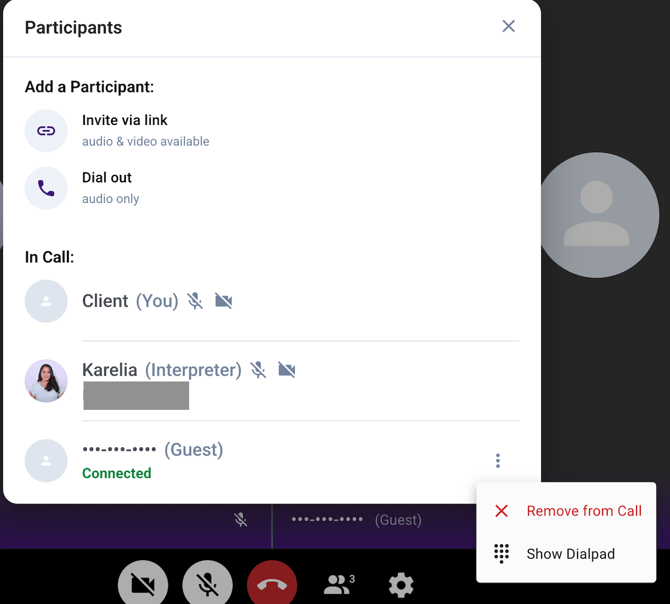
Option 1: From the Participants panel.
Tap the people icon at the bottom of the screen to open the Participants panel, then tap the three-dot menu (⋮) next to the Guest and select "Remove from Call".
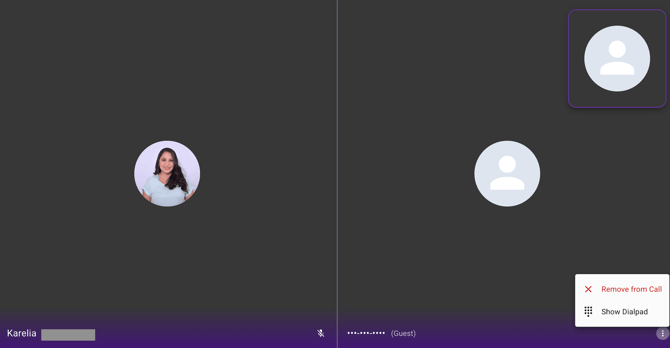
Option 2: From the session view.
Tap the three-dot menu (⋮) in the bottom-right corner of the Guest's video/audio box and select "Remove from Call".
Need Help?
If you have any questions about the third-party invite features, please contact the Jeenie support team at linguists@jeenie.com.